Adding a New Dev Site
- Log in to the Cloudways dashboard.
- Locate the template site (THT5.0-D10).
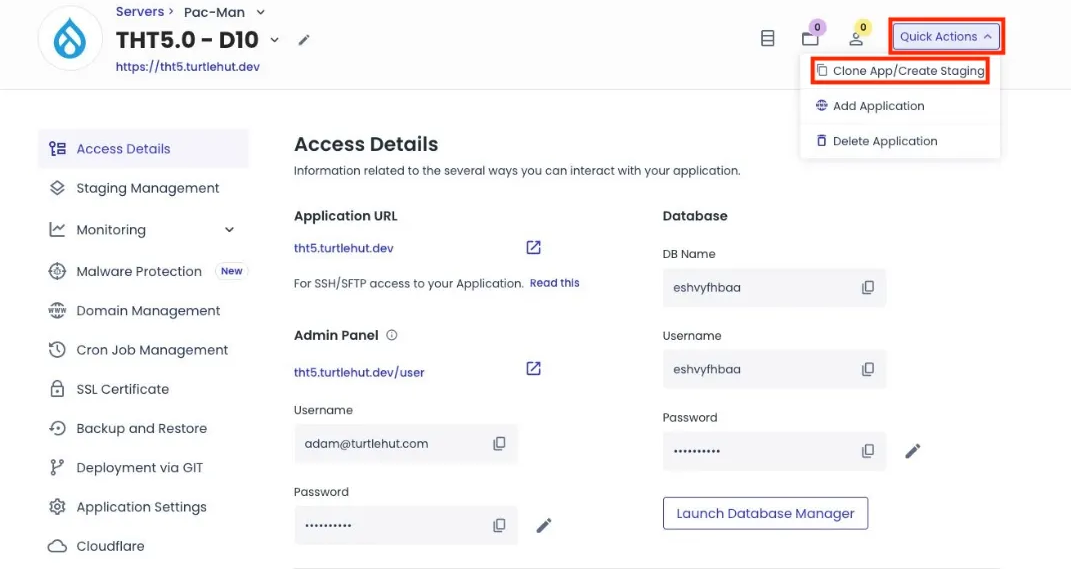
- Select Quick Actions > Clone App/Create Staging to clone the template site.
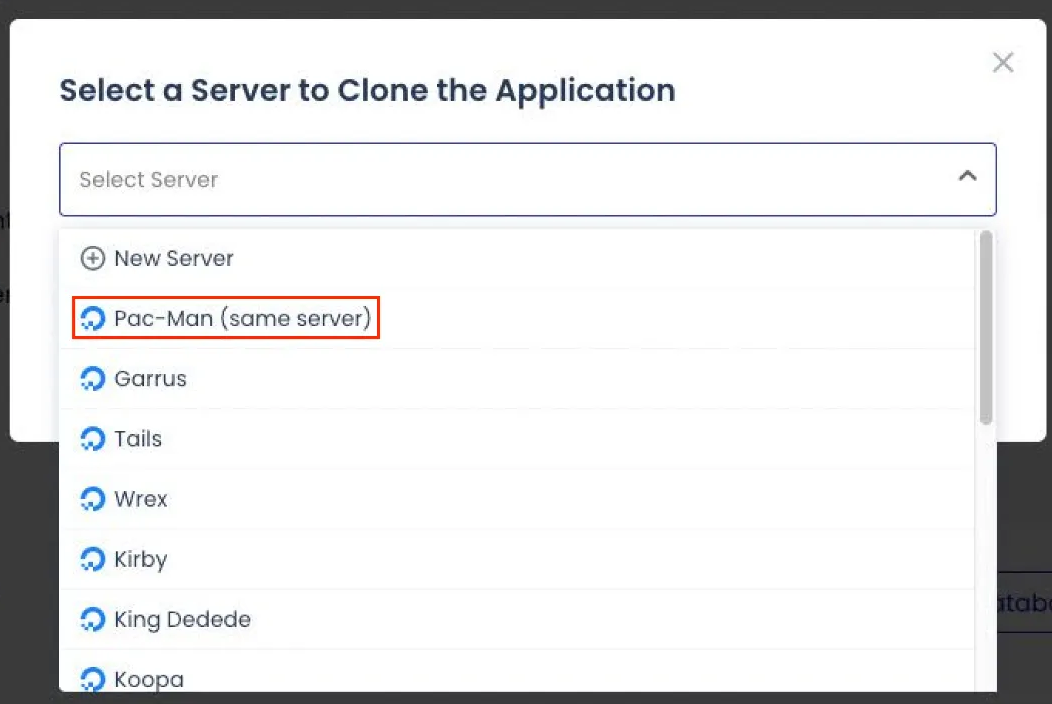
- Select the same server as the template site for the clone destination.
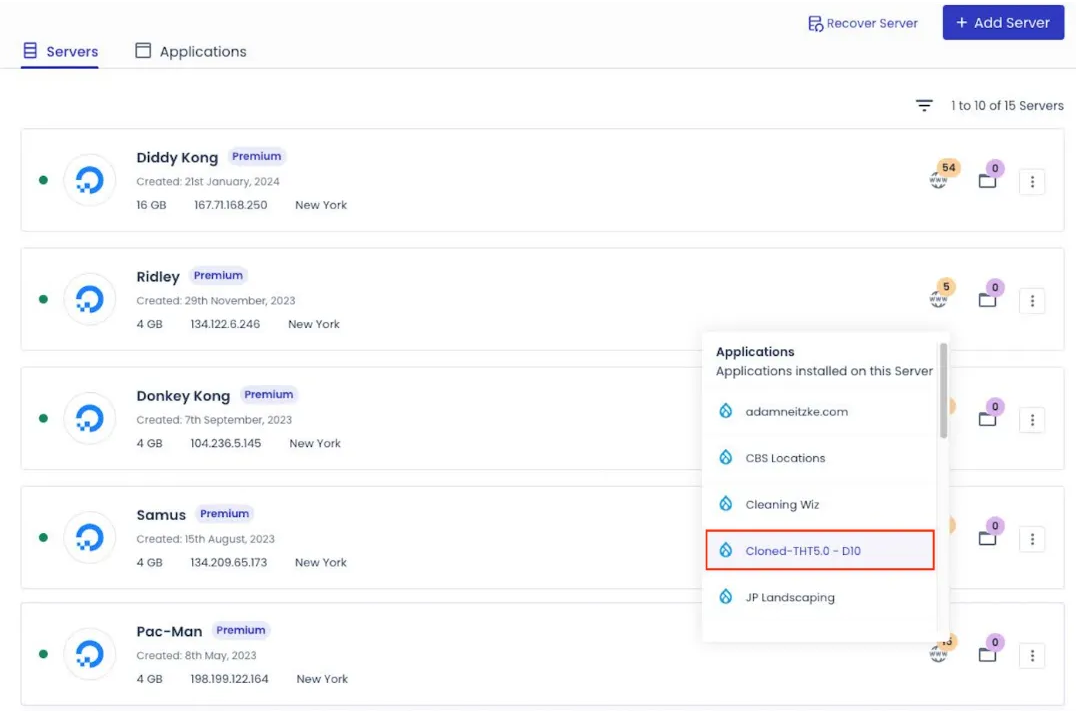
- After the cloning process completes, click the Applications (globe) icon next to the application title.
- Select the newly cloned site from the applications list.
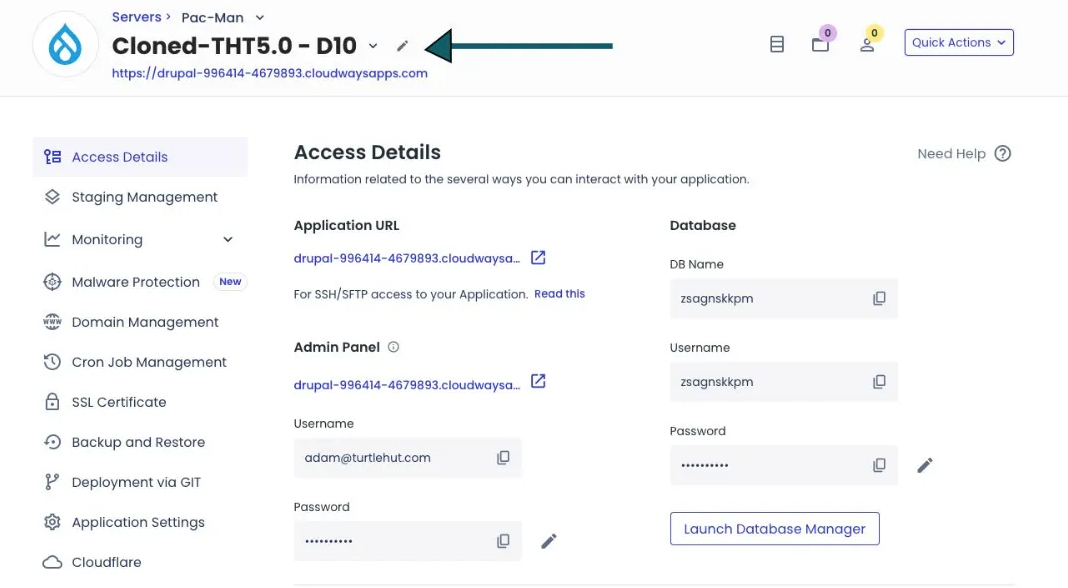
- Rename the cloned site to the company name by clicking the edit (pencil) icon next to the application title.
- Navigate to Domain Management in the left navigation menu. Select Add Domain.
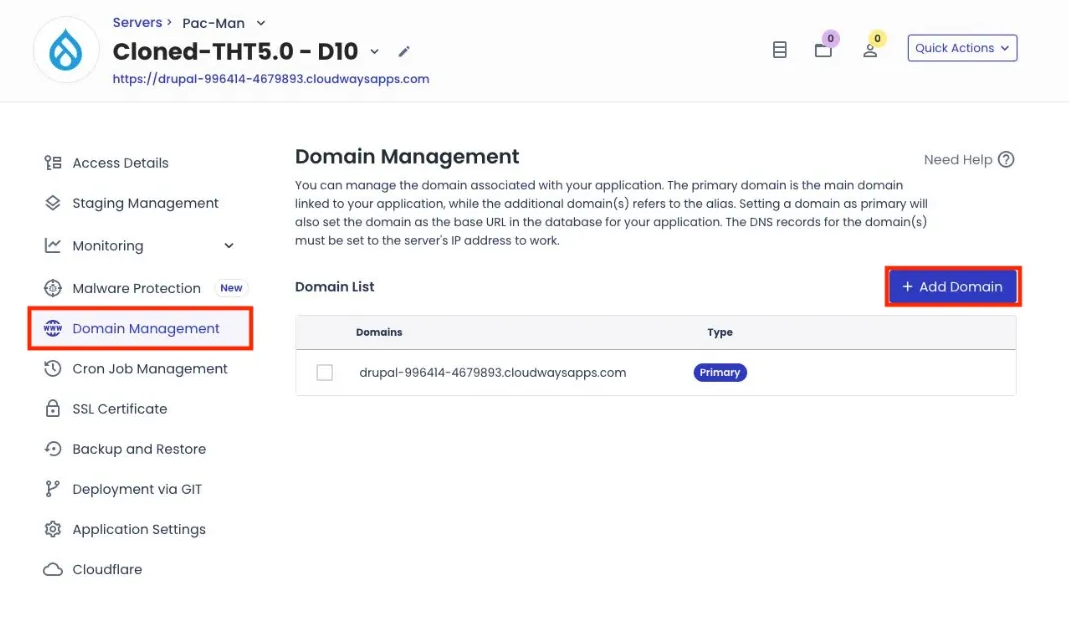
- Update the application's URL using the company name initials as a development acronym (e.g. Putt Putt Palace becomes ppp.turtlehut.dev).
- Create an FTP login by clicking Application Credentials from the left navigation menu and clicking Add FTP User.
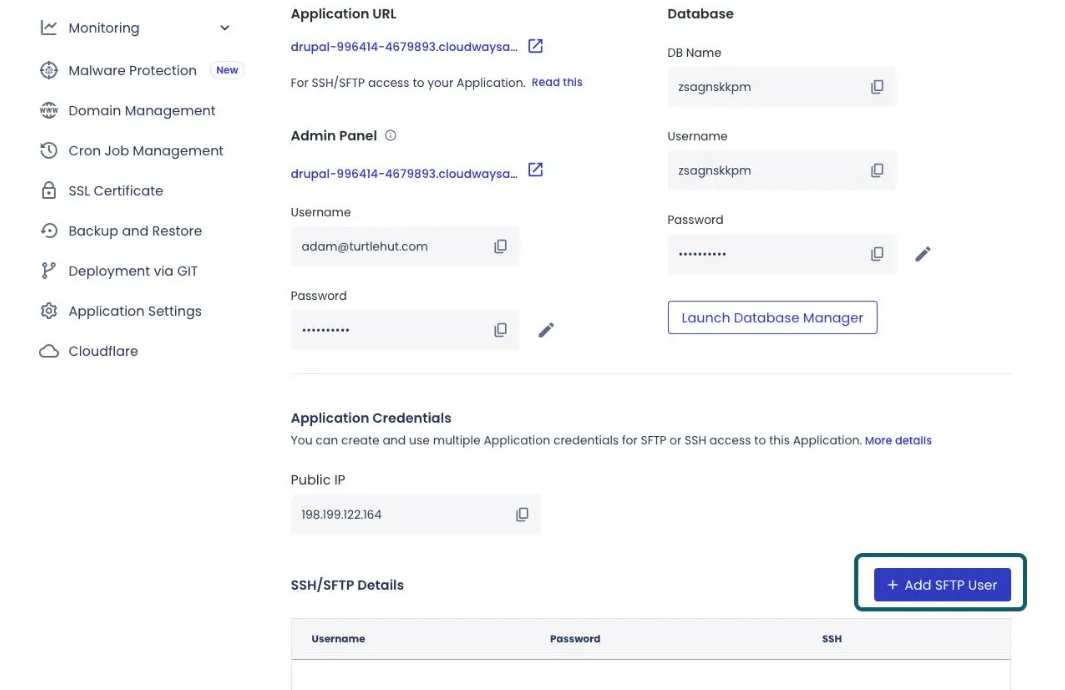
- Create a username and password using a consistent format (e.g., your first name or initial with the site acronym, like adam[dev acronym]).
- Copy the server IP for future reference (FTP access).
Last Updated: 9/18/25