Turtlehut Template
CSS Updates
- For CSS updates, modify files in the /public_html/themes/TH_base2/css/theme directory.
Image Uploads
- For images referenced in HTML: Upload to the /public_html/files/images directory.
- For images referenced in CSS: Upload to the /public_html/themes/TH_base2/images directory.
Creating a Webform
- Structure > Webforms > Forms
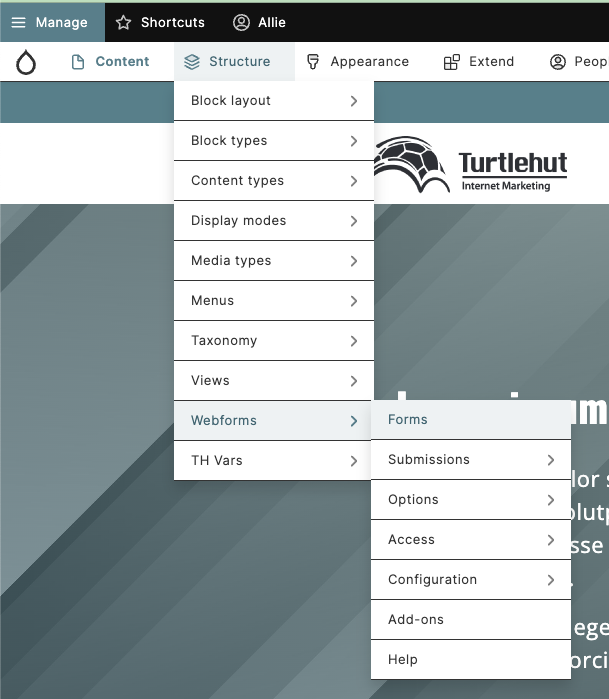
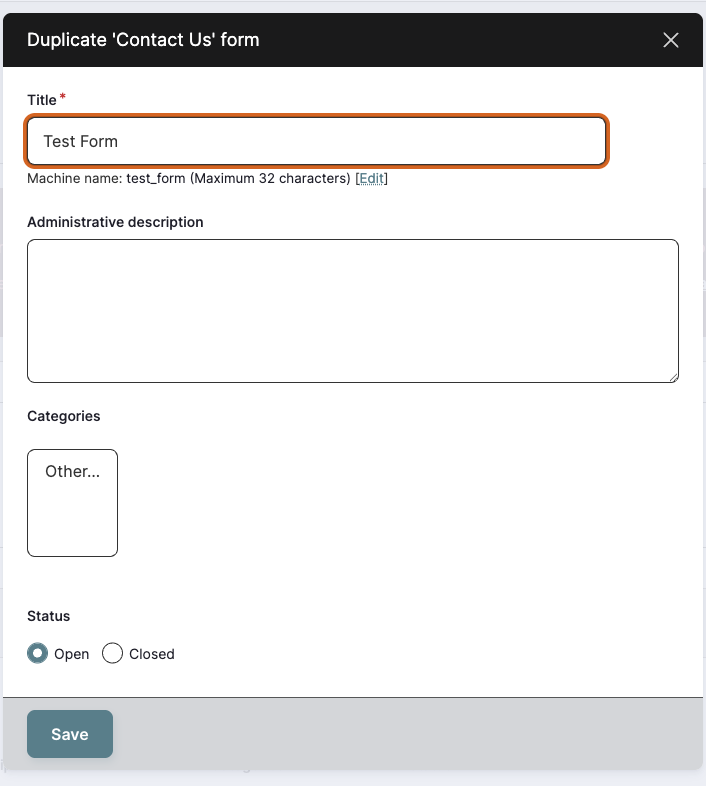
- Duplicate the Contact Us form.

- Rename new form and click Save.
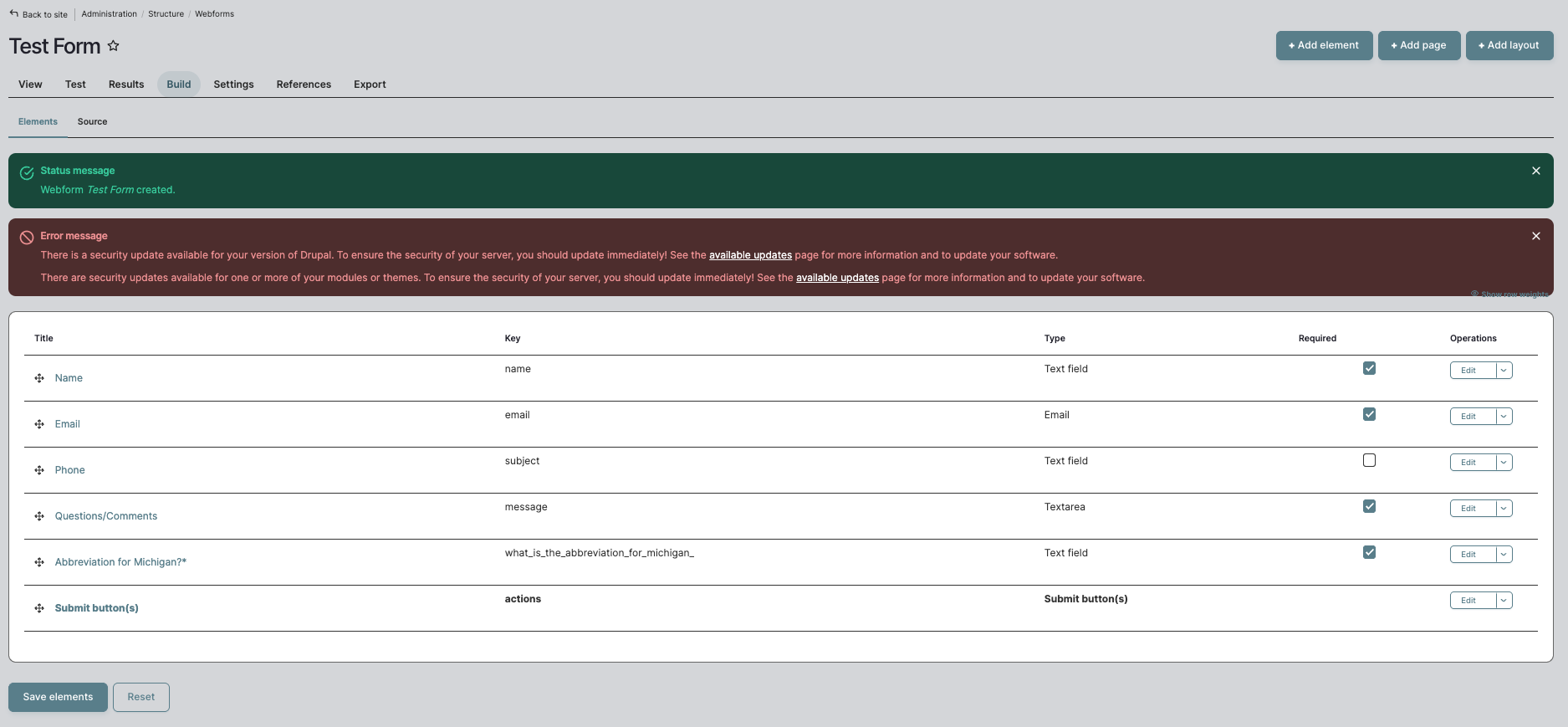
- Add/delete fields as needed.
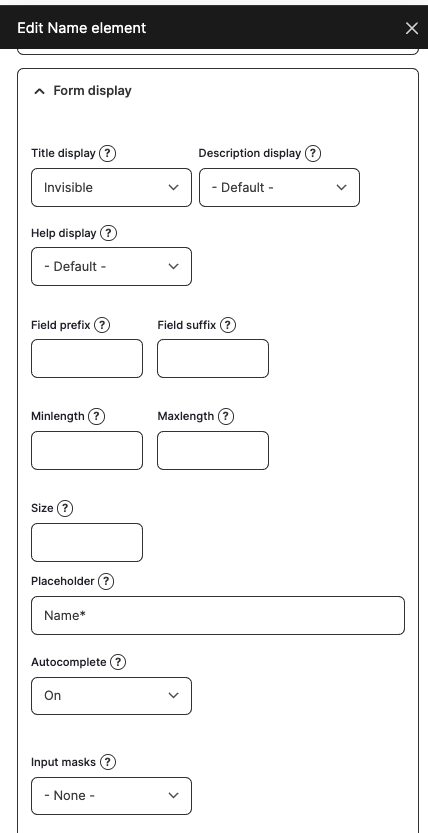
- Edit label for each field, depending on if you want it visible or not.
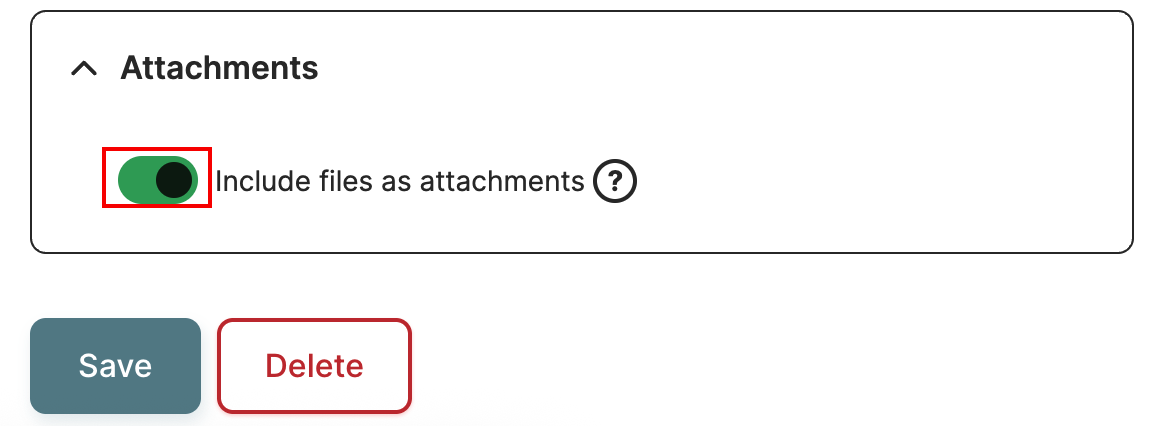
NOTE: If you created a form that contains a file uploader, you must ensure the "Include files as attachments" option is ticked, or the client will not receive any attachments.
- To do this, navigate to Emails/Handlers and click Edit next to Client Notification and scroll to the very bottom of the box that pops out.
Last Updated: 9/18/25